


Transforming the US education system with AI learning science
Overview
I designed + developed an AI-powered teacher dashboard
RightOn! is a learning science-grounded platform that leverages student misconceptions to drive conceptual math understanding. In partnership with the Chan Zuckerberg Initiative and Learning Commons, we collaborated with schools across the US to apply new AI learning science technologies to the American education system.
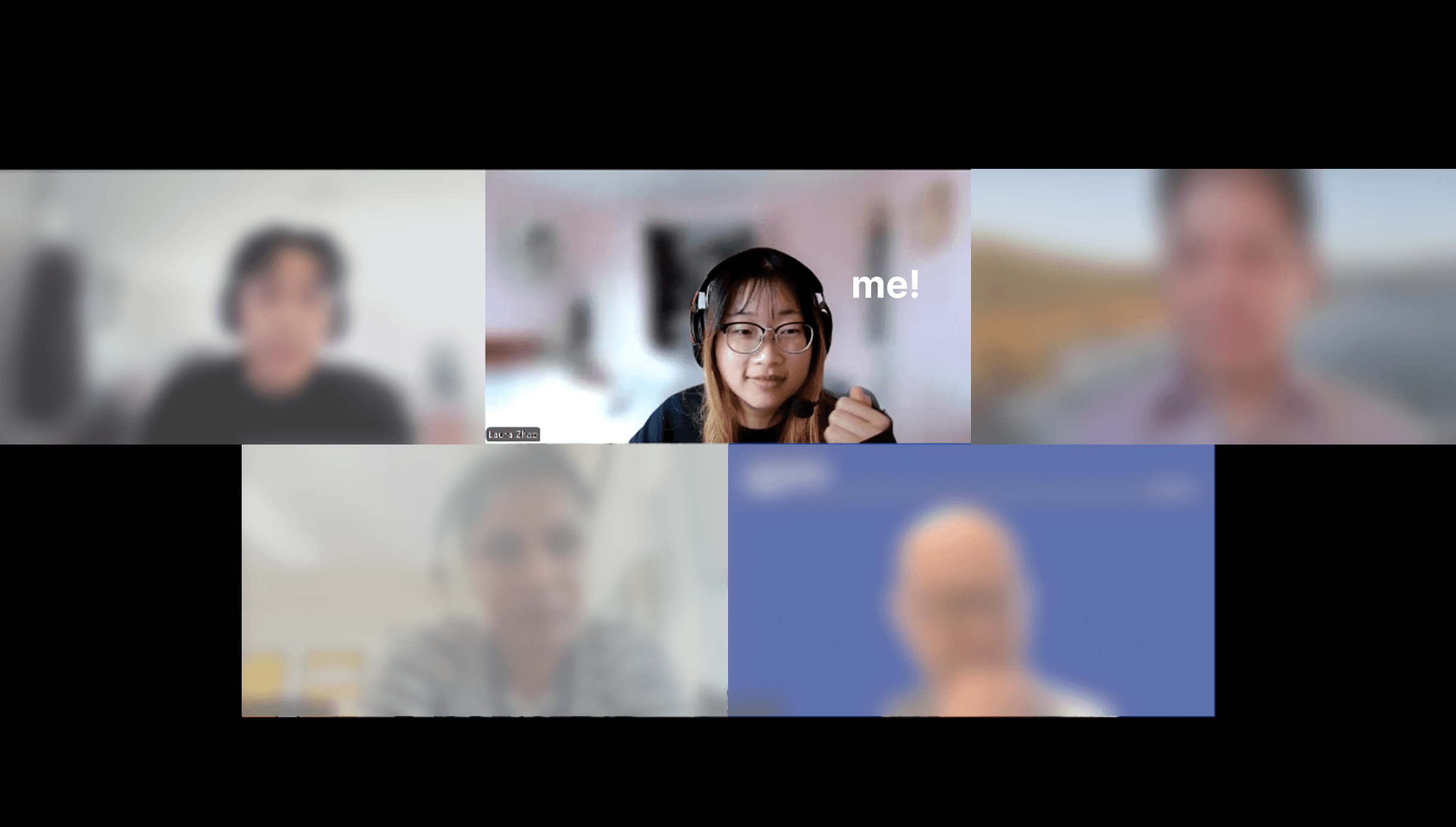
Speaking bi-weekly with teachers and leadership at schools across the US to understand their unique education system, allowing us to integrate our dashboard into real classroom settings.
Outcome
A deployed MVP, piloted across 4 US classrooms
I spearheaded the end-to-end design process of the project with one other designer, taking on both engineering and project management responsibilities. I prototyped rapidly using AI tools and directly communicated with educators to inform design decisions.

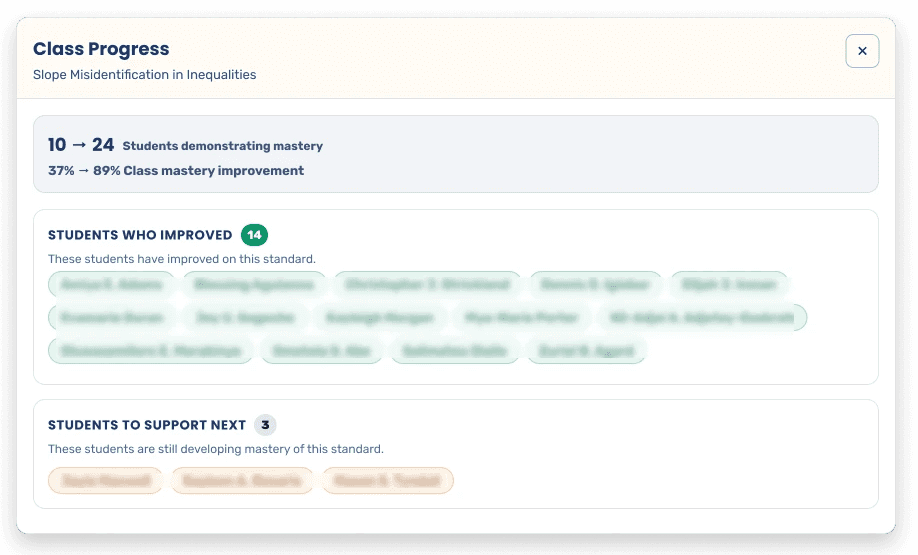
Classes saw a
During our pilot, participating classes saw an average improvement in concept mastery of 55.3% after teachers implemented our dashboard.
Names are blurred to protect student privacy.
Challenge
Teachers struggle to draw insights + act on student work
Discussions with teachers/education experts taught us that misconceptions surfaced in homework and assessments frequently go unaddressed, resulting in missed opportunities to apply targeted, evidence-based interventions.
Response-to-data
Lesson planning is both tedious and inconsistent due to lack of structured support
Identifying patterns
Teachers have difficulty pinpointing the exact learning gap(s) to address
Time-consuming
Teachers don't have time to sift through stacks of student work
Opportunity
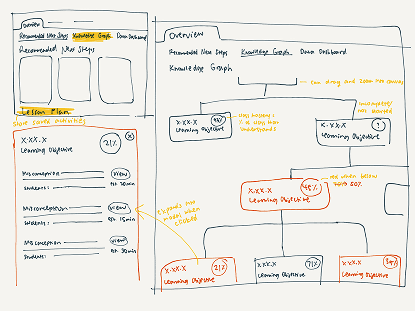
Learning Commons recently introduced a groundbreaking Knowledge Graph that maps academic standards, skills, and concepts into an interconnected network. By structuring this information in a machine-readable way, it enables AI systems to understand not just individual topics, but how knowledge develops and builds over time.
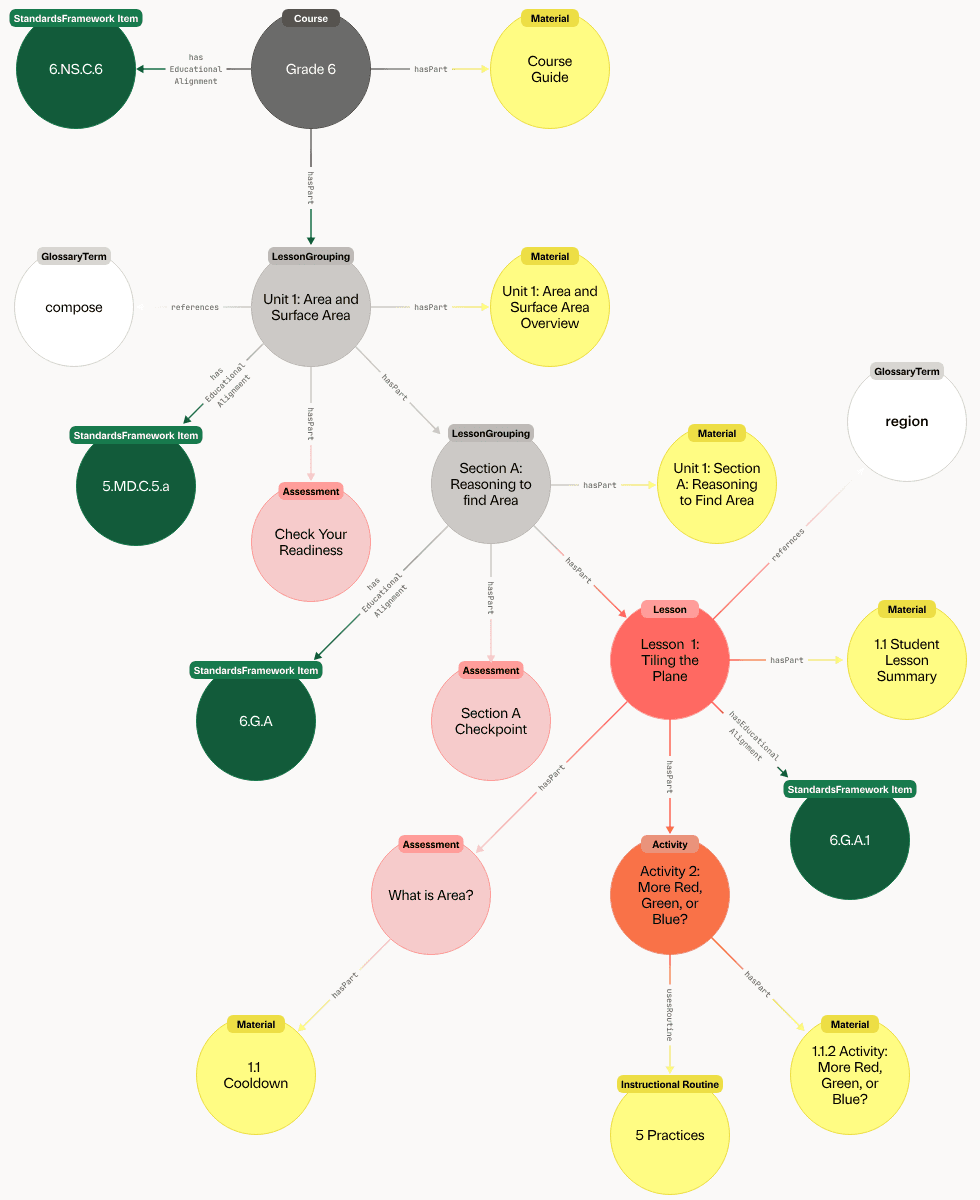
How might we design a teacher dashboard that leverages knowledge graph technology and real student work to drive targeted, data-informed instructional decisions in math classes?
Real-world Constraints
The schools standardize processes for teachers
The schools across the network we worked with follow a unique weekly schedule. In order to pilot our dashboard throughout these classrooms, we had to design with their processes in mind.

Exploration
Iterating rapidly on AI capabilities⚡
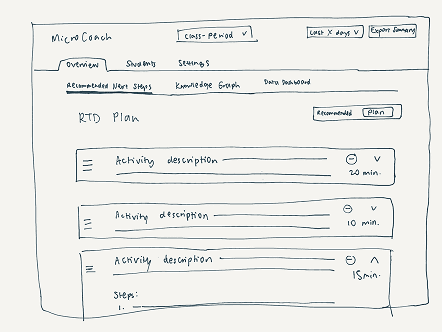
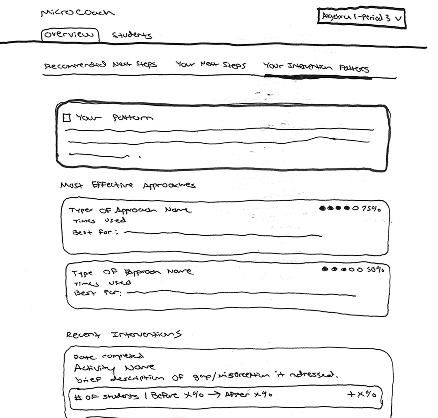
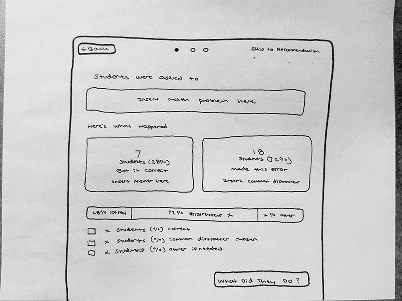
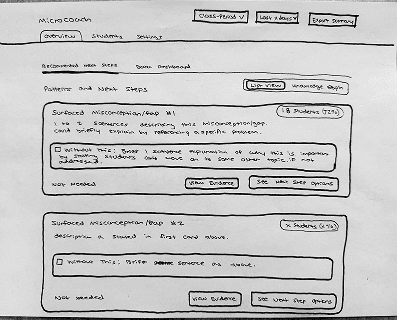
Since we wanted to pilot our dashboard in about a month, we had to dedicate the bulk of our time towards building out the deployable product. We quickly iterated on hand-drawn sketches that we would later feed to AI agents for prototyping.

Prototyping
Building AI tools, using AI
We set up Cline and Copilot in VS Code to build the dashboard’s frontend, while the AI systems and backend infrastructure were developed by our team's developer. To enable our AI model to identify learning gaps and generate targeted intervention activities, we collected and structured real classroom data for training.

We had to collect data at every stage of the classroom cycle.
Technical Constraints
LLMs don't generate perfect output
Human-review
We presented teachers with multiple outputs, leaving the final instructional decisions in their hands.
Quality > quantity
Due to the limited volume and diversity of classroom data available for training, we observed that the model would occasionally generate duplicate activities with only variations in wording.
We refined our prompts to reduce the number of generated activities and prioritize clearly distinct outputs.
Limiting instructional complexity
We constrained the types of activities generated. Expanding the range introduces greater variability in model outputs, adding a layer of pedagogical complexity that we were not yet confident deploying in live classroom settings.
Pedagogical Constraint
The problem with multiple choice questions
PPQs (power practice quizzes) were mostly multiple choice questions. However, multiple choice questions don't provide much insight into student thinking, and more importantly, answers that were guessed would falsely reflect an understanding (or lack thereof) of a concept.
Our solution? Leveraging RightOn's existing strategy of implementing confidence checks. We implemented a confidence meter after each question, informing teachers about whether students understood what they were choosing.

The Likert scale used for our confidence checks.
Pilot Testing
Real-world data provided unexpected results
After receiving the first week's quiz results, we were jump-scared by the poor performance across classes.
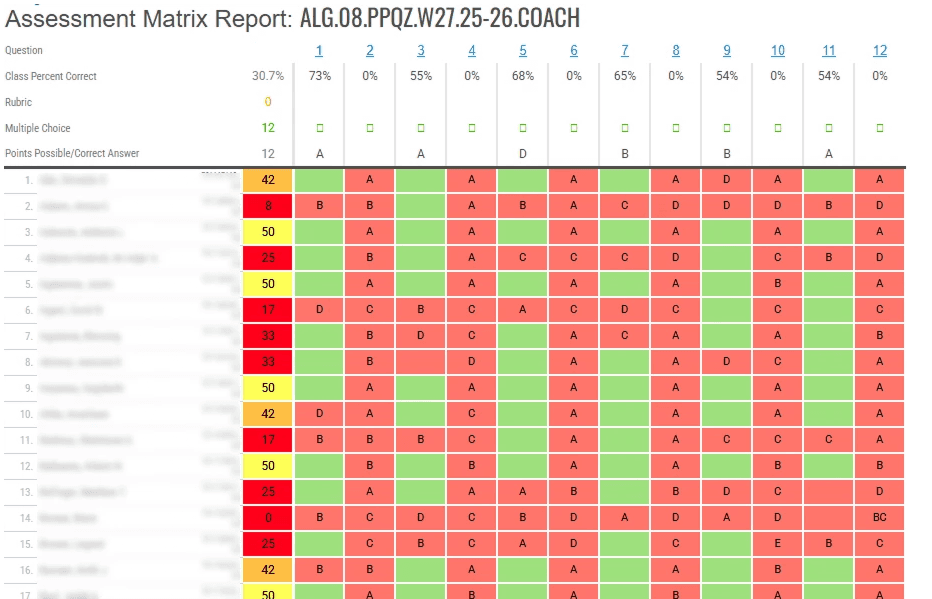
We had to clean the data in order to interpret it correctly.
Why was every other question answered incorrectly?
We quickly realized it was due to the inclusion of confidence checks, which were implemented as questions that tampered with scores.
Why were there combined answers?
Some students erased an answer to select a new one, but was still picked up by scantron as two answers at the same time. We had to remove these scenarios from the dataset.
Key Design Decisions
Optimizing for early-career teachers
Most teachers do not yet have the expertise to extract actionable insights from student work to address misconception patterns. During our ongoing discussions with the schools, we continuously iterated on our prototype as we learned more about teacher needs and habits.
Helping teachers understand CCSS (Common Core State Standards)
While these codes are widely used in schools, many teachers are not familiar with what they represent in practice. To bridge this gap, we introduced a hover interaction on CCSS tags that surfaces clear, contextual explanations directly within the interface.
Finding the sweet spot of teacher agency
While the dashboard surfaces multiple learning gaps, many teachers don't yet understand how to prioritize them. We introduced a clear “CORE” recommendation to preserve teacher autonomy while reducing cognitive load, guiding them toward the most impactful next step without limiting their ability to explore further.


Guiding teacher decision-making
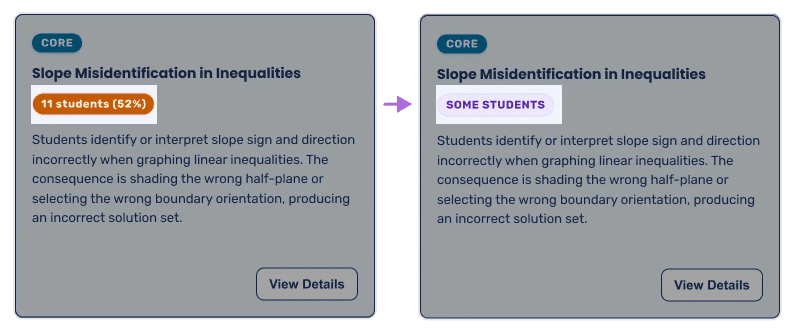
We intentionally avoided having teachers rely too heavily on precise percentages when prioritizing learning gaps. Instead, we introduced qualitative prevalence labels to communicate impact at a glance.
Reflection
Learning to be a designer, engineer, and PM all at once
I directly communicated with leadership at these schools, which meant managing timelines, coordinating data, and aligning on goals. It was difficult requesting so much data on time, so we had to push back timelines more than once. Furthermore, this project was highly technical and required us to be thoughtful in how we designed the LLM.
Developing domain expertise
Delving into this project was quite overwhelming as I was entering a new design space. There was a steep learning curve, with a significant amount of context, domain knowledge, and specialized terminology; I spent time immersing myself in the education landscape and reviewing existing materials to get up to speed. This helped me move beyond surface-level assumptions and design with greater clarity and intention.